Guides
What is a monitored panic button
A monitored panic button is a device that sends an emergency signal to a central station 24/7. Trained operators then try to verify what’s happening and notify police or fire based on the situation.
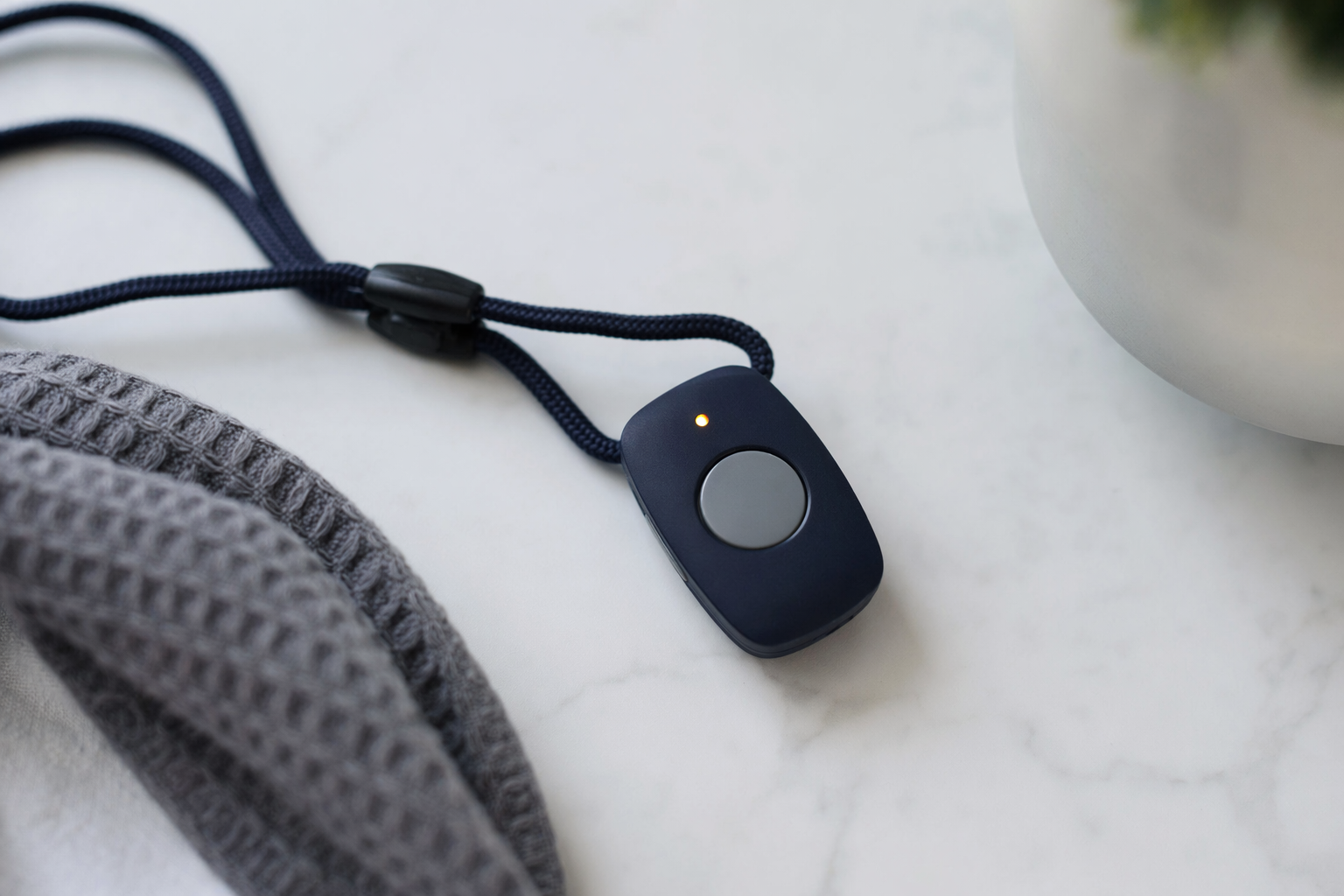
The basic idea: panic button → central station → verification → help
A panic button is meant for moments when you feel in danger and need fast attention. If it’s “monitored,” the button isn’t just an alarm sound at your home. It sends a signal to a central monitoring station that watches alarms 24/7.
A typical signal path looks like this: (1) you press the button, (2) your alarm system/control panel sends the event to the central station, (3) an operator attempts to verify by calling the listed contact(s), and (4) the operator contacts police and or fire and notifies you.
This is general education. Exact steps can vary by monitoring provider, your plan, and your equipment.
If you want to compare monitoring options in your area, Signal Watch Central can help you get matched with a monitoring provider and explain what questions to ask. We are not an alarm company and we do not install or monitor equipment.
What “monitored” usually includes (and what it does not)
When a panic button is monitored, it usually means your provider has a 24/7 central station team trained to handle alarm signals. They use procedures to verify the event and follow your account’s information.
Monitoring is different from other kinds of alerts:
• Unmonitored panic buttons only trigger notifications you receive, like phone app alerts, without a central station verification step.
• Some devices are “self-activated” or depend on internet-only connectivity. If that connection fails, the event may not reach a monitoring station.
A monitored system generally uses multiple communication paths so the signal can reach the central station even if one path has issues. Common examples include cellular and/or landline (the exact options depend on the equipment and the provider).
Also, monitored does not mean “guaranteed response.” Operators may make a verification call, but outcomes depend on the situation, the contact you provide, and what responders determine on scene.
How verification and dispatch work in the US
After the central station receives a panic signal, a trained operator tries to confirm what’s happening. A very common step is a phone call to the person listed on the account. They may ask simple questions like where you are and whether you need police or fire.
If the operator cannot reach you, or if they determine it is an emergency, they follow the provider’s process for contacting appropriate services. That typically means notifying police for a suspected safety threat, or fire for smoke or related emergencies if those are configured.
Your account setup matters. For example, the verification phone numbers, the address the system reports, and whether you choose to share details like medical conditions can affect what happens next.
For a plain overview of what central station monitoring is, see central station monitoring.
What a monitored panic button is like in real life
Panic buttons can come as a key fob, a wall button, or a wearable device. Many people use them near places where they might need help quickly, such as by a bed, in an office, or at an entry area.
Common everyday use cases include threats, medical emergencies, harassment, or situations where you cannot safely talk on the phone. The button is meant to create a clear “request for help” signal to the monitoring station.
Placement and usability are practical concerns. Ask the provider how far the device works from the control panel. Ask what happens if the button is pressed accidentally. Some systems send the exact same signal, and the operator may still run a verification call.
Also check the battery situation. Wearable and key-fob devices often rely on batteries. Your plan should explain how low-battery issues are handled and what the replacement process is.
Cost, contracts, and rules vary by state
Costs can vary widely. You may pay for hardware, monthly monitoring, and sometimes installation or equipment fees. Many monitoring contracts are ongoing and can auto-renew.
Typical monthly monitoring for a basic setup may range from under $30 to over $60, depending on features, the communication method (like cellular), and the provider. Some providers bundle the equipment cost into financing or a contract. Others offer different packages.
Be cautious with “free system” offers. A common sales pattern is a low upfront offer paired with a longer contract and higher monthly monitoring, sometimes with unclear cancellation terms. Also watch for door-to-door pressure and long auto-renewing contracts.
State licensing and solicitation rules differ. In some states, alarm-company solicitation is licensed and regulated. If you want to understand what questions to ask before signing, we can help you get matched so you know who to contact and what details to confirm.
Questions to ask before you choose monitored panic button monitoring
Use these questions to compare providers and avoid surprises:
1) What does “monitored” include? Is it 24/7 central station monitoring with a trained operator?
2) How does the panic signal reach the central station? Is cellular used, and is there a backup path?
3) What verification steps happen after the operator receives the signal?
4) Who gets called first, and what numbers should you provide?
5) What happens if it’s pressed by accident?
6) What is the monthly monitoring cost, and is there any extra fee for specific features (like dual-path communication or false-alarm handling)?
7) What is the contract length, renewal terms, and cancellation process?
8) Are there any state-specific permit or compliance steps you must complete?
If you share your situation, Signal Watch Central can connect you with monitoring providers that serve your area and help you compare what they offer. We do not install or guarantee systems, and we do not control the central station’s procedures.
A monitored panic button sends an emergency signal to a 24/7 central station, where an operator tries to verify and then notifies police or fire based on your account and the situation.
Common questions
Is a monitored panic button the same as an emergency response button?
They’re similar, but “monitored” specifically refers to the signal going to a 24/7 central station where an operator verifies and notifies responders. Some devices call emergency contacts directly without central station monitoring, which is a different process.
What should I expect when I press the panic button?
You typically press the button, your alarm control panel sends the signal to the central station, and an operator attempts to verify by calling your account contact. If they believe it’s an emergency and cannot verify safely, they follow their dispatch process to contact police or fire.
Will monitored panic button monitoring guarantee police or fire will arrive?
No system can promise an outcome. Monitoring helps trigger verification and notification, but response depends on what responders determine and local conditions.
How much does monitored panic button monitoring cost?
Monthly monitoring costs vary based on equipment, contract terms, and your location. A rough range for basic monitoring is often under $30 to over $60 per month, but your real price depends on the package and provider. Treat advertised “free” offers carefully and read the contract.
Do I need an alarm system for a monitored panic button?
Many panic buttons connect through an alarm system/control panel. Some providers may sell panic-only setups, but most monitored panic options still involve a central panel or hub. Ask what hardware is required and whether it supports backup communication paths.